
Manufacturing Productivity Hub — Guided Learning
| Getting Started |
PowerMill Migration |
Import Review |
Fusion Library |
Configuration | Community | Support |
← Previous |
Configuration · 5.2 Preserving or Generating Cutting Data |
Next → |
Approximately 2 minutes
Keep the feeds and speeds your source carries, or let MPH fill gaps with built-in defaults.
Two controls in the Cutting Data section decide what happens to feeds and speeds.
- Preserve source cutting data — keep the values your source carries.
- Apply during import — when MPH fills in cutting data of its own:
- When source data is missing (default) — fills gaps only.
- With every imported tool — applies a baseline to every tool.
- Never — adds nothing.
Existing source values are always respected; generation only fills gaps, using MPH’s built-in defaults.
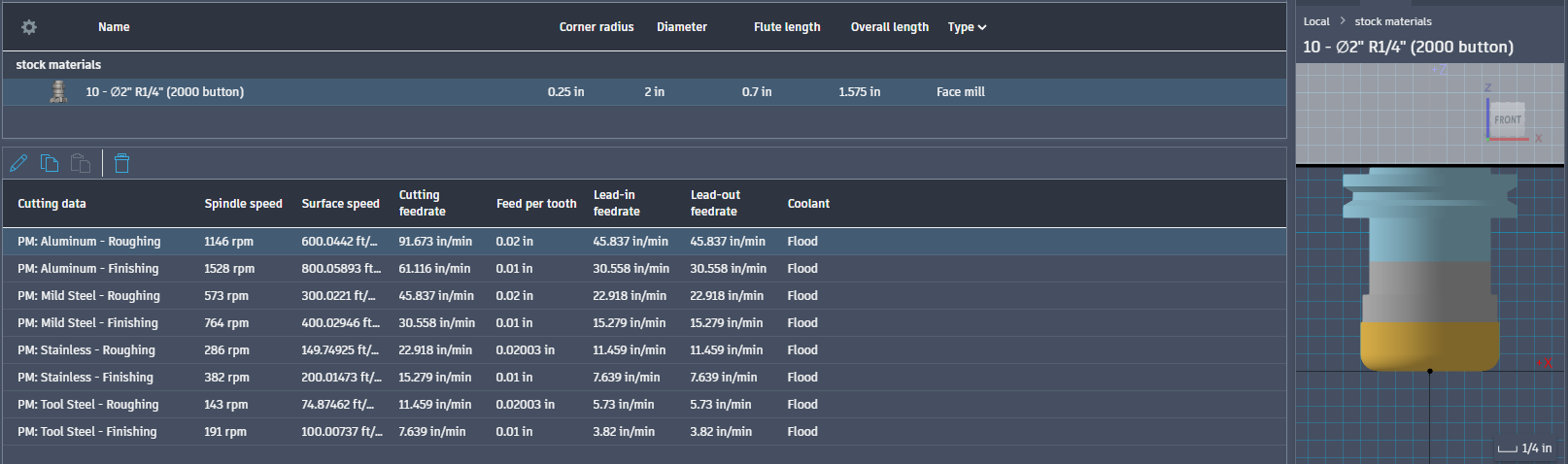
MPH source cutting data.
Continue to Tools, Holders, and Material Settings.
|
|