
Manufacturing Productivity Hub — Guided Learning
| Getting Started |
PowerMill Migration |
Import Review |
Fusion Library |
Configuration | Community | Support |
← Previous |
Fusion Library Handling · 4.3 Merge, Replace, or Cancel |
Next → |
Approximately 1 minute
Three choices for an existing library: Merge, Replace, or Cancel.
- Merge — add new tools to the existing library; existing tools stay.
- Replace — make the library match your import. Tools not in your import are removed.
- Cancel — change nothing.
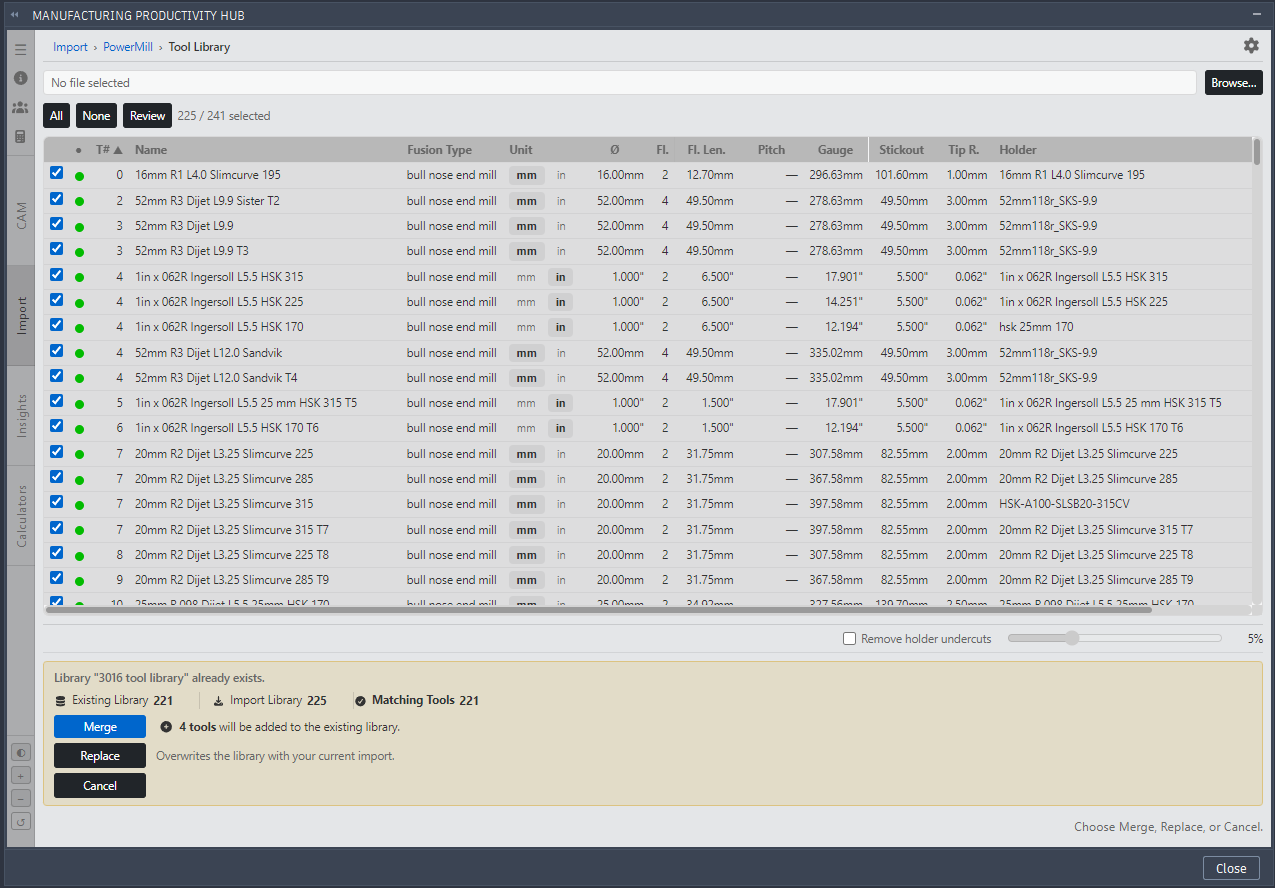
MPH existing library action.
Warning: Replace can remove tools. MPH asks you to confirm (Replace “<library>”?), states how many tools would be removed, and reminds you your PowerMill source is unchanged.
Continue to New, Duplicate, and Removed Tools.
|
|