
Manufacturing Productivity Hub — Guided Learning
| Getting Started |
PowerMill Migration |
Import Review |
Fusion Library |
Configuration | Community | Support |
← Previous |
Getting Started · 1.4 The MPH Workspace |
Next → |
Approximately 2 minutes
A quick orientation to the MPH palette, the Import tab, the sidebar, and Import Settings.
MPH runs in a single palette docked on the left of the Fusion window. The default landing page upon launch is the Import tab.
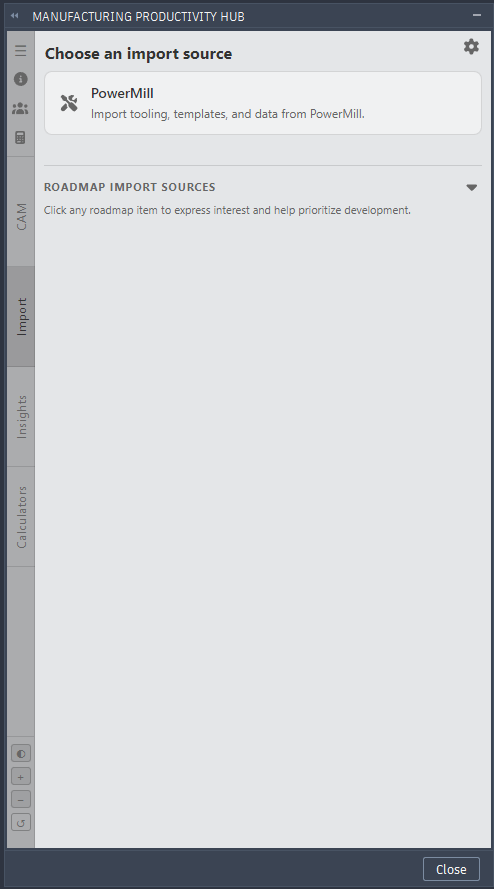
MPH import page.
The Import tab
The default tab, and the heart of the product: choose a PowerMill source, review your tools, and send them to a Fusion library. Tabs such as CAM, Insights, and Calculators preview future features; during the beta, work on the Import tab.
Sidebar
- Preferences (menu icon) — language, theme, and display options.
- About (info icon) — version and Send Feedback.
- Community (people icon) — your Community Profile and community activity.
- Display controls — theme, font size, and reset palette.
Import Settings
The gear icon on the Import tab opens Import Settings for cutting data, holders, materials, and review flags. Defaults suit most shops; a later section covers them.
Continue to Your First PowerMill Import.