
Manufacturing Productivity Hub — Guided Learning
| Getting Started |
PowerMill Migration |
Import Review |
Fusion Library |
Configuration | Community | Support |
← Previous |
Getting Started · 1.5 Your First PowerMill Import |
Next → |
Approximately 3 minutes
Run one complete PowerMill import: Choose a source, select tools, review, and add to a Fusion library.
Run one import end to end using the simplest source, a PowerMill Tool Library file, with Import Settings left at their defaults. The same four steps apply to every source.
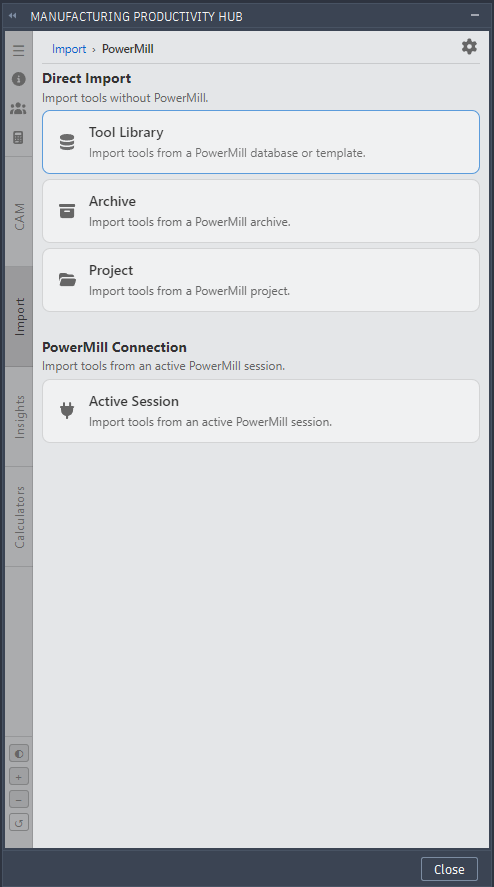
MPH import PowerMill.
1. Choose a source
On the Import tab, click PowerMill, then under Direct Import choose Tool Library. Select your database or template file. MPH detects the type.
2. Select tools
MPH lists the tools it found. Importing everything is fine for a first run.
3. Review
If a tool needs attention, the button reads Review Tools. Open Import Review and confirm the suggested resolutions.
4. Add to a Fusion library
When nothing is blocking, click Add to Fusion Library and name the library. MPH writes your tools into Fusion.
Continue to Choosing a PowerMill Import Source.
|
|