
Manufacturing Productivity Hub — Guided Learning
| Getting Started |
PowerMill Migration |
Import Review |
Fusion Library |
Configuration | Community | Support |
← Previous |
Fusion Library Handling · 4.2 Importing into an Existing Library |
Next → |
Approximately 1 minute
When the target library already has tools, MPH analyzes the difference and previews the change first.
If the target library already contains tools, MPH won’t overwrite it silently. It compares the two and previews the change first.
- MPH reports the library already exists. Choose Analyze or Cancel.
- Analyze compares the incoming tools against the library.
- MPH then prompts you to Merge, Replace, or Cancel.
Nothing is written until you choose. If the import already matches, MPH reports the library is up to date.
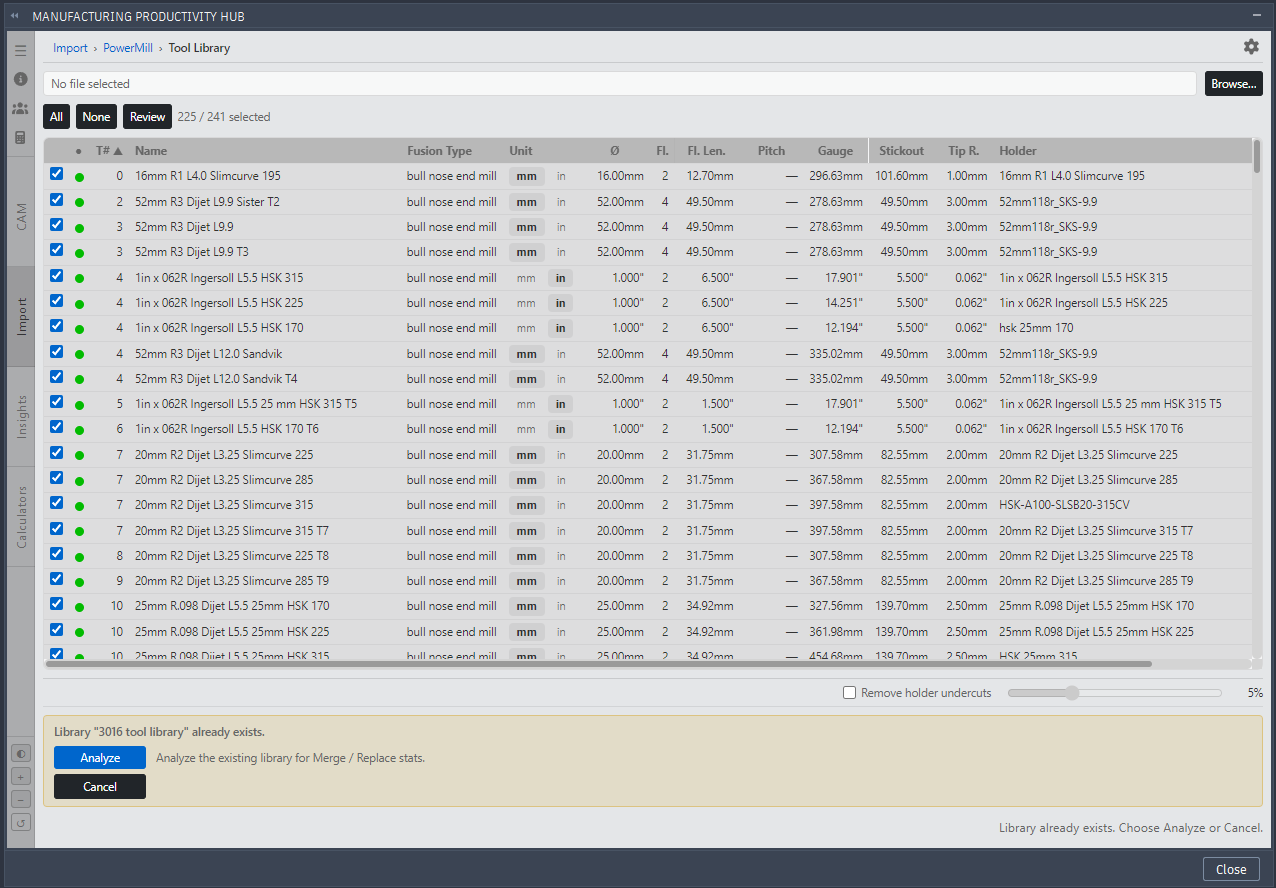
MPH existing library.
Continue to Merge, Replace, or Cancel.
|
|